
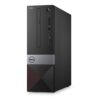

DELL Precision 3430
About the Product
-
Computer-Aided Design (CAD): AutoCAD, SolidWorks, CATIA
-
3D Modeling & Rendering: Blender, 3ds Max, Maya
-
Graphic Design & Multimedia: Adobe Photoshop, Illustrator, InDesign
-
Video Editing & Post-Production: Adobe Premiere Pro, After Effects, DaVinci Resolve
-
Engineering & Simulation Software: ANSYS, MATLAB, LabVIEW
-
Data Analysis & Scientific Computing: R, Python, SPSS, Excel heavy datasets
-
Financial & Business Applications: QuickBooks, SAP, ERP software
-
Virtualization & Development Environments: VMware, Docker, Visual Studio, Eclipse
-
Office Productivity & Collaboration: Microsoft Office, Teams, Outlook
DELL Precision 3430 8th gen Intel® Core™ i7 i7-8700 16 GB DDR4-SDRAM 512 GB SSD Black SFF Workstation
Dell Precision 3430 Workstation — A compact Small Form Factor (SFF) professional desktop featuring an 8th‑gen Intel® Core™ i7‑8700 processor, 16 GB DDR4 RAM, and a 512 GB SSD for fast performance. Designed for demanding work like CAD, content creation, and multitasking, it delivers reliable workstation‑class performance in a space‑saving black chassis.
System Specifications
Processor (CPU)
-
Intel® Core™ i7‑8700 (Coffee Lake) – 6 cores / 12 threads
-
Base frequency: 3.2 GHz, Boost up to 4.6 GHz
-
12 MB Smart Cache, 14 nm process
-
TDP: 65 W
Memory (RAM)
-
16 GB DDR4‑SDRAM (2666 MHz)
-
4 × DIMM slots, dual‑channel
-
Upgradable up to 64 GB
Storage
-
512 GB SSD (PCIe/NVMe interface)
-
One SSD installed
-
Optional additional storage supported (varies by build)
Graphics
-
Integrated Intel® UHD Graphics
-
Supports up to 3 displays
-
DirectX 12.0, OpenGL 4.5 support
-
(Discrete GPU options may be available in other configurations)
Chipset & Expansion
-
PCIe 3.0 support
-
Multiple expansion slot configurations supported
Connectivity & Ports
-
USB ports (Type‑A and Type‑C)
-
On‑board card reader (SD)
-
Gigabit Ethernet
-
Audio I/O
-
Display outputs supported via graphics subsystem
Features
1. Powerful 8th‑Gen Intel® Core™ i7‑8700 Processor
This workstation is powered by an Intel® Core™ i7‑8700 processor, which has 6 physical cores and 12 threads. That means it can handle multiple tasks and demanding workloads at the same time — from data analysis to content creation and engineering applications. This CPU also features a high boost speed, allowing it to accelerate performance on demanding tasks when needed.
Why it matters:
A strong processor like this significantly improves responsiveness and reduces lag in heavy applications, enabling smoother workflows in professional software such as CAD, 3D modeling, and complex spreadsheets.
2. 16 GB DDR4 Memory (Upgradeable up to 64 GB)
With 16 GB of DDR4 RAM, the Precision 3430 provides excellent multitasking performance right out of the box. This memory type runs at a fast speed, allowing your system to access data quickly.
Why it matters:
Plenty of RAM ensures that multiple programs can run simultaneously without slowing down your system. Additionally, being expandable up to 64 GB means this workstation can grow with your needs, especially if you later work with very large datasets or multi‑application workflows.
3. Fast 512 GB SSD Storage
The included 512 GB SSD (Solid State Drive) significantly improves performance compared to traditional hard drives. SSDs provide rapid boot times, quick application load times, and faster access to files.
Why it matters:
An SSD makes your system feel more responsive overall — everything from starting up Windows to launching software happens quicker. It also increases reliability since SSDs have no moving parts, which reduces the risk of physical drive failures.
4. Professional‑Ready Graphics Support
While your exact unit uses integrated Intel graphics, the Precision 3430 platform is capable of supporting professional GPUs like AMD Radeon Pro and NVIDIA Quadro cards in other configurations.
Why it matters:
Integrated graphics are fine for everyday office use and light visual tasks. However, support for professional graphics cards means this workstation can be configured for graphics‑intensive workloads such as 3D rendering, simulations, and complex visualizations if your needs grow.
5. Compact Small Form Factor (SFF) Design
The Precision 3430 uses a Small Form Factor (SFF) chassis — meaning it’s significantly smaller than a traditional tower desktop.
Why it matters:
The compact case allows you to save valuable desk or rack space without sacrificing performance. It’s ideal for office environments, studios, or workspaces where space is at a premium.
6. Versatile Connectivity Options
This workstation has a wide range of ports, including USB‑A, USB‑C, Ethernet, audio jacks, and multiple display outputs. USB‑C and USB‑A ports let you connect modern and legacy accessories alike.
Why it matters:
Versatile connectivity means you can easily attach monitors, external drives, printers, and other peripherals without needing additional hubs or adapters.
7. Expandability & Flexibility
Even though it’s compact, the Precision 3430 still provides room for upgrades, such as extra storage drives, more memory, or discrete GPU cards in compatible builds.
Why it matters:
This flexibility means the workstation can adapt to your changing workload. You can keep your system current longer by adding more RAM or faster storage as needed.
8. Professional‑Grade Reliability
Dell Precision workstations are ISV‑certified, meaning they’ve been tested and approved to run professional applications from companies like Autodesk, Adobe, and Dassault Systèmes without issues.
Why it matters:
ISV certification ensures stability and performance in certified software — critical for engineers, designers, and professionals who depend on reliable performance in their daily work.
Applications
Here are the main applications of the Dell Precision 3430 i7 workstation, highlighting professional and creative uses:
-
Computer-Aided Design (CAD) – Works with software like AutoCAD, SolidWorks, and Revit for 2D and 3D modeling.
-
3D Rendering & Animation – Suitable for Blender, Maya, and 3ds Max, especially with discrete GPU upgrades.
-
Data Analysis & Simulation – Handles Excel, MATLAB, and Python workloads for large datasets and simulations.
-
Graphic Design & Multimedia Editing – Supports Adobe Photoshop, Illustrator, Premiere Pro, and After Effects.
-
Software Development & Programming – Ideal for compiling code, running IDEs like Visual Studio or Eclipse, and virtual machines.
-
Scientific & Engineering Applications – Can run ANSYS, Solid Edge, and other engineering simulations efficiently.
-
Office Productivity & Multitasking – Perfect for Microsoft Office Suite, web conferencing, and multiple applications simultaneously.
-
Virtualization – Supports running virtual machines via VMware, Hyper-V, or VirtualBox for testing environments.
Be the first to review “DELL Precision 3430”
Related products

Dell Desktops

Dell Desktops

Dell Desktops

Dell Desktops

Dell Desktops

Dell Desktops

Dell Desktops

Dell Desktops
Reviews
There are no reviews yet.